A guided tour of QueryWell
QueryWell gives you a familiar, SQL-Developer-style experience for Oracle Fusion Cloud ERP — without pretending Fusion exposes a backend database. Studio works through Oracle's supported reporting surfaces and keeps results on your device; AI runs add a direct connection to the model provider you select. Here's what that looks like in practice.
Three steps to your first report
- Add and test your pod in Connections — enter the URL and pod credentials, set the BI Publisher data-source pool, and click Test.
- Run SQL or reports in Query Studio, or open a curated script from Toolkits. Fill any parameters and click Run.
- Review the grid, then export to CSV / JSON / XLSX / PDF. History and Exports keep a full audit trail automatically.
The workspace at a glance
A calm, enterprise layout: a navigation rail on the left, the active workbench in the centre, and context panels — parameters, inspector, logs — on the right. Colour-coded status badges tell you what's safe to run at a glance.
No Oracle credentials yet? A built-in Demo (Mock) connection lets you explore every feature offline.
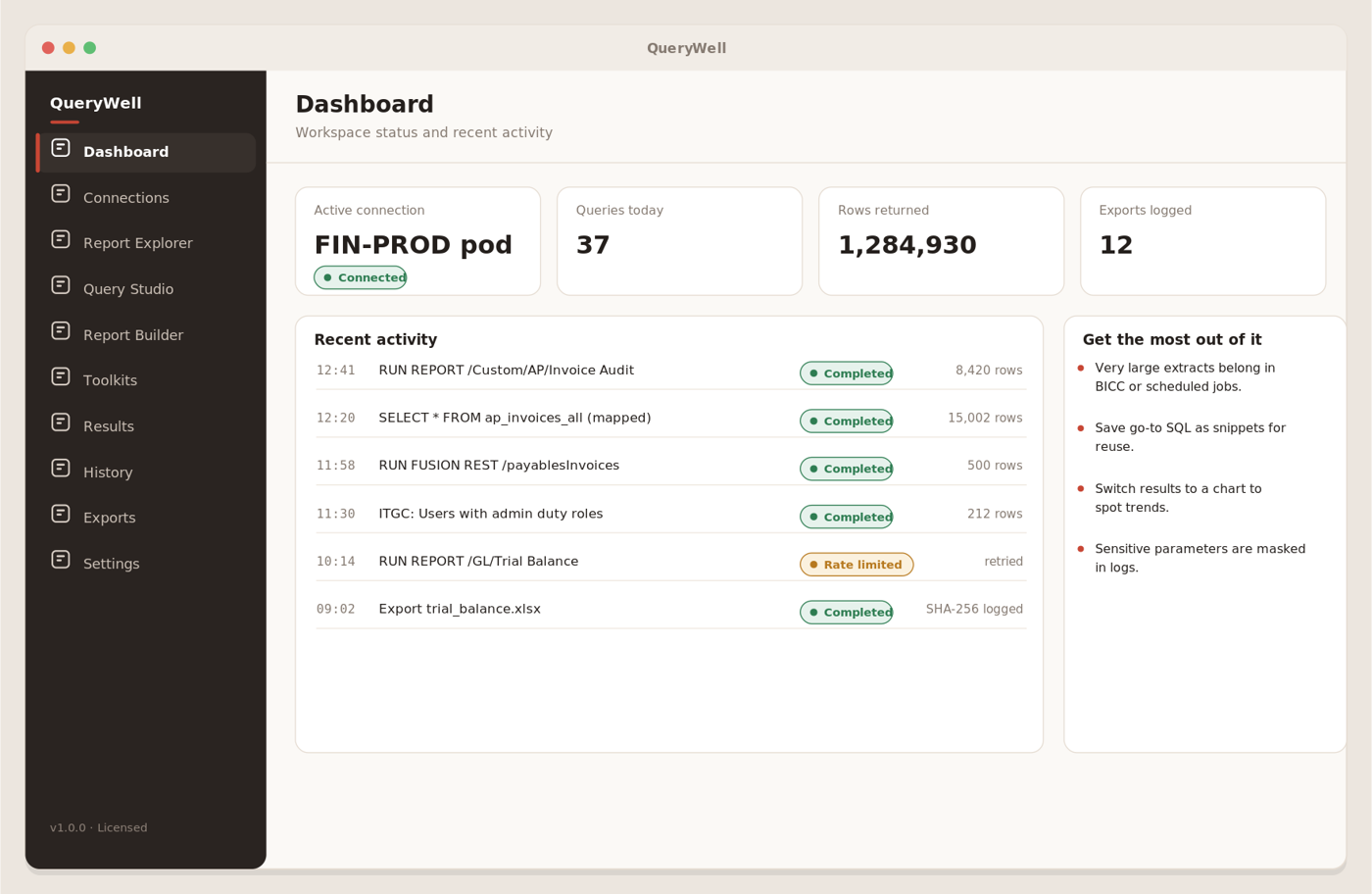
A quick read on status & recent activity
Your landing overview: the active connection, today's run and row counts, and a recent-activity list you can use as a jump-off point to repeat or review a run. Green means the active pod is connected and ready; amber means a profile still needs testing.
The Dashboard also flags when a pull looks too large for an interactive grid — that's the Data Loader's job. Mirror the table into a database you own, and let the worksheet stay a worksheet.
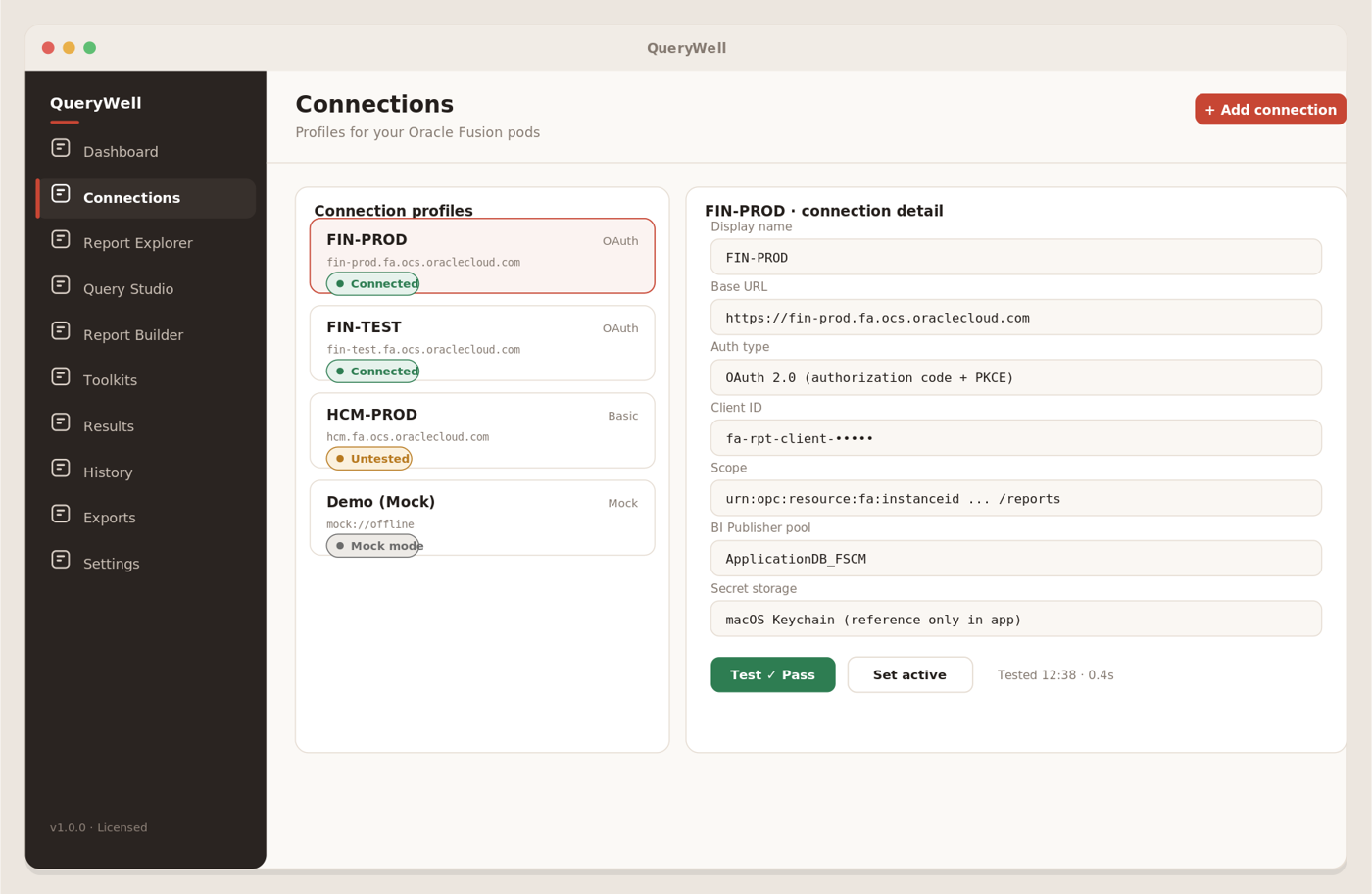
Create and test a profile for each pod
Add a profile, enter the pod URL, choose an auth type, and set the BI Publisher pool (e.g. ApplicationDB_FSCM). Click Test to verify, then select the profile to make it active.
Credentials live in the OS keychain — never in plain text, never in the app's database — and are only ever sent over HTTPS. A failed test is a real failure — 401/403 are reported as failures, so a green test genuinely means you can run reports.
Before connecting a live pod, review the Oracle Fusion API authentication requirements for your account and reporting setup.
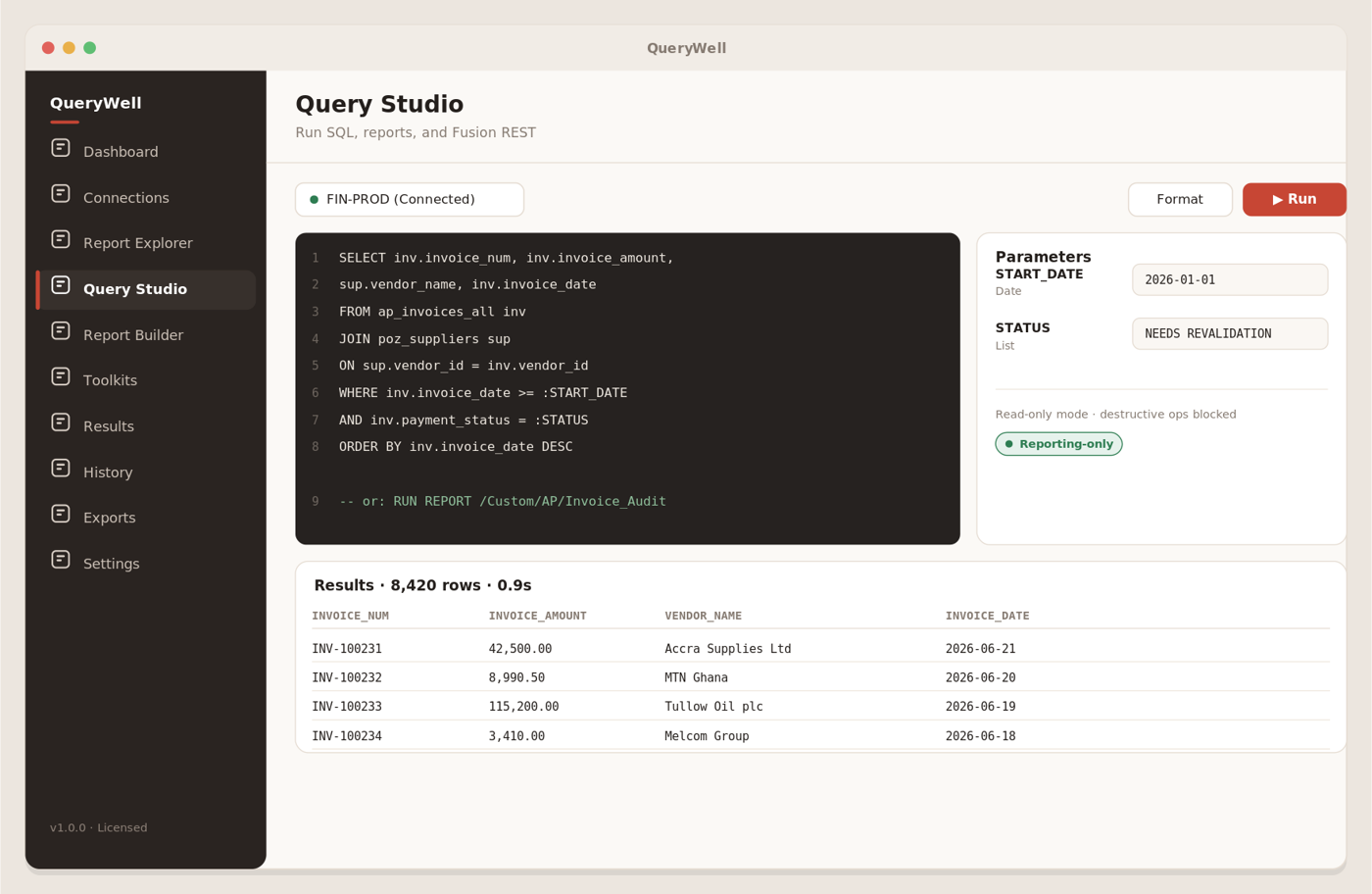
Free-form SQL, straight through BI Publisher
The worksheet takes read-only SQL and runs it through BI Publisher against your pod — including wildcard SELECT *. Pick a connection, type your query, fill any parameters in the right-hand inspector, and click Run. Your existing catalog reports run from the separate Reports screen.
Reporting-only is enforced in code, not offered as a setting: an allow-list SQL guard runs on every worksheet run and every Save As — single-statement SELECT/WITH only, no DML, no DDL, no PL/SQL — and your row limit is applied as a hard cap on the query itself. There is no switch to turn any of it off.
Describe, inspect, refine
The Studio + AI tier adds a separate workbench inside the same app. Ask for a report in business terms, then inspect the SQL, parameters, tool run and returned columns before saving or distributing the result.
Start from a question or report pack
Generate an ad-hoc report or begin with Finance, AP, AR, Cash, Fixed Assets, Workforce, or Operations & Job Health. Follow-up messages refine the current report rather than discarding it.
Connect your approved model provider
Add Anthropic, OpenAI, OpenRouter or a compatible Ollama endpoint. Provider keys stay in the OS keychain; the built-in sample report works without a pod or provider key.
Review before relying
Read-only guards and row limits run in code. Report fields must match actual result columns, and KPI deltas are calculated from returned values rather than invented by the model.
Save, export, deploy or schedule
Keep reports in Collections, export tabular data or PDF, deploy a report individually to BI Publisher, or arm a recurring pod-side run with optional completion email.
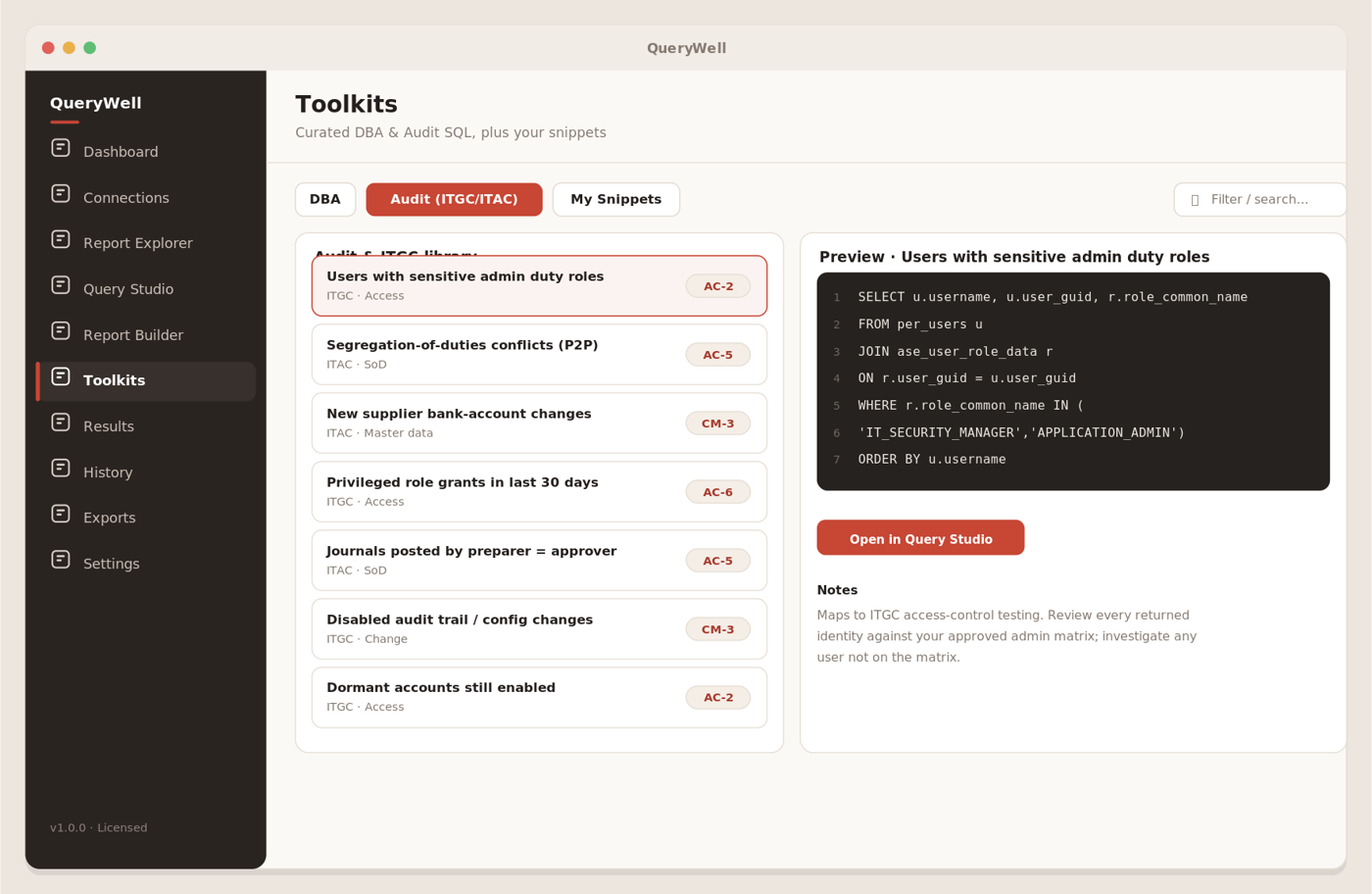
DBA, Audit & My Snippets
Curated ITGC/ITAC and DBA SQL, mapped to controls and ready to open straight into a worksheet — set your bind values and run. Save your own go-to queries, or upload existing .sql scripts into My Snippets and reuse them across connections.
Use Toolkits as your repeatable starting point for standard audit, DBA, finance, HCM and SCM queries.
Grid, charts & column profiling
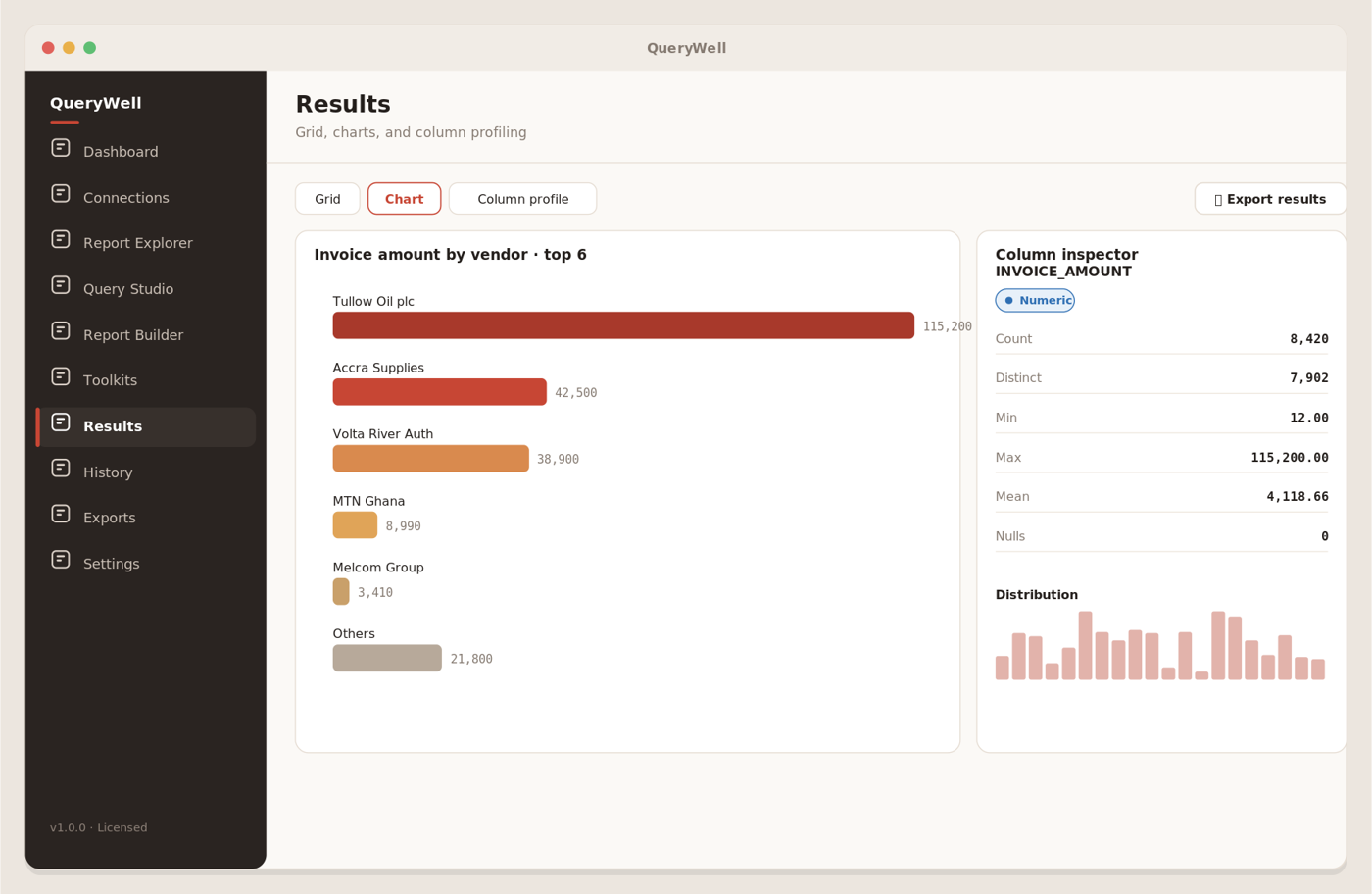
Explore big result sets in a fast virtualized grid, turn any result into an instant chart, and profile a column to see distributions, ranges and outliers — so trends jump out before you export.
Every execution, traceable
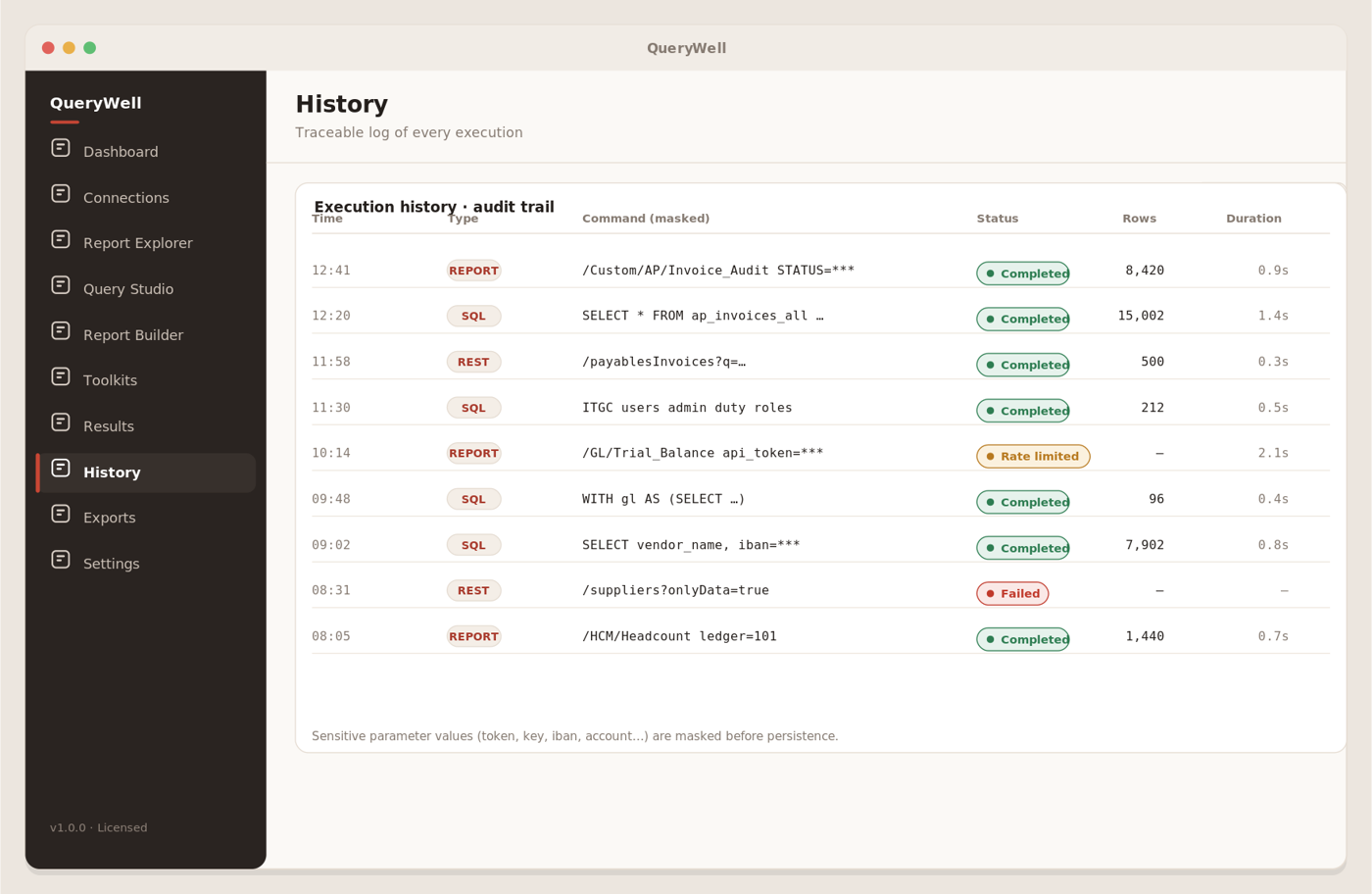
A complete, searchable record of every run — what was executed, when, against which connection, and with which (masked) parameters. Re-open a past run to repeat or audit it.
Sensitive parameter names — token, key, IBAN, account and the like — are masked in the log automatically.
Hashed export evidence you can re-verify
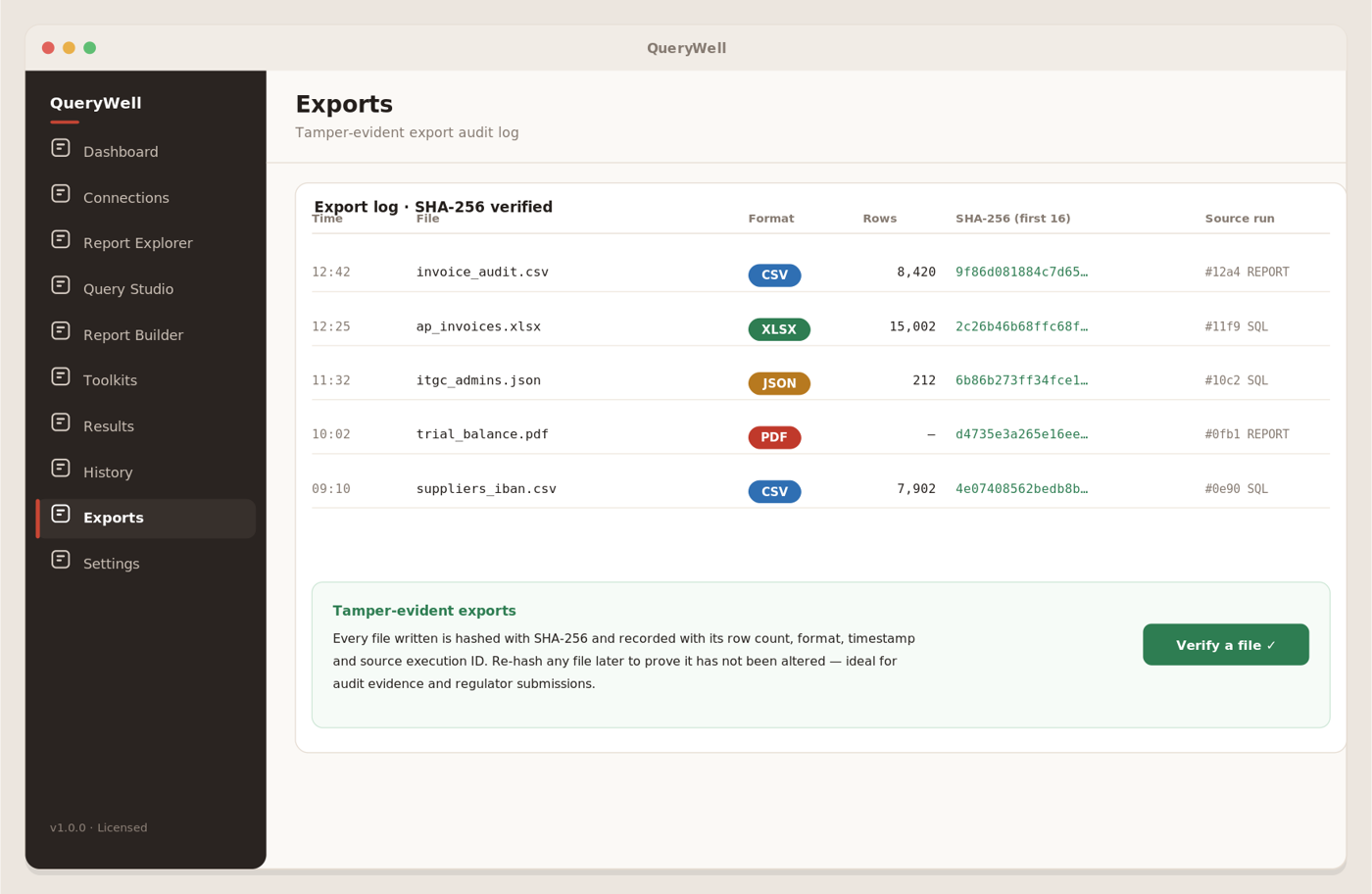
Send results to CSV, JSON, XLSX, or a polished PDF report. Every export is SHA-256 hashed and recorded in the export log, and Verify re-hashes any file you point at and compares it to the logged value — so you, or an auditor, can confirm the file is still the one QueryWell wrote.
Mirror Fusion — and watch it land, table by table
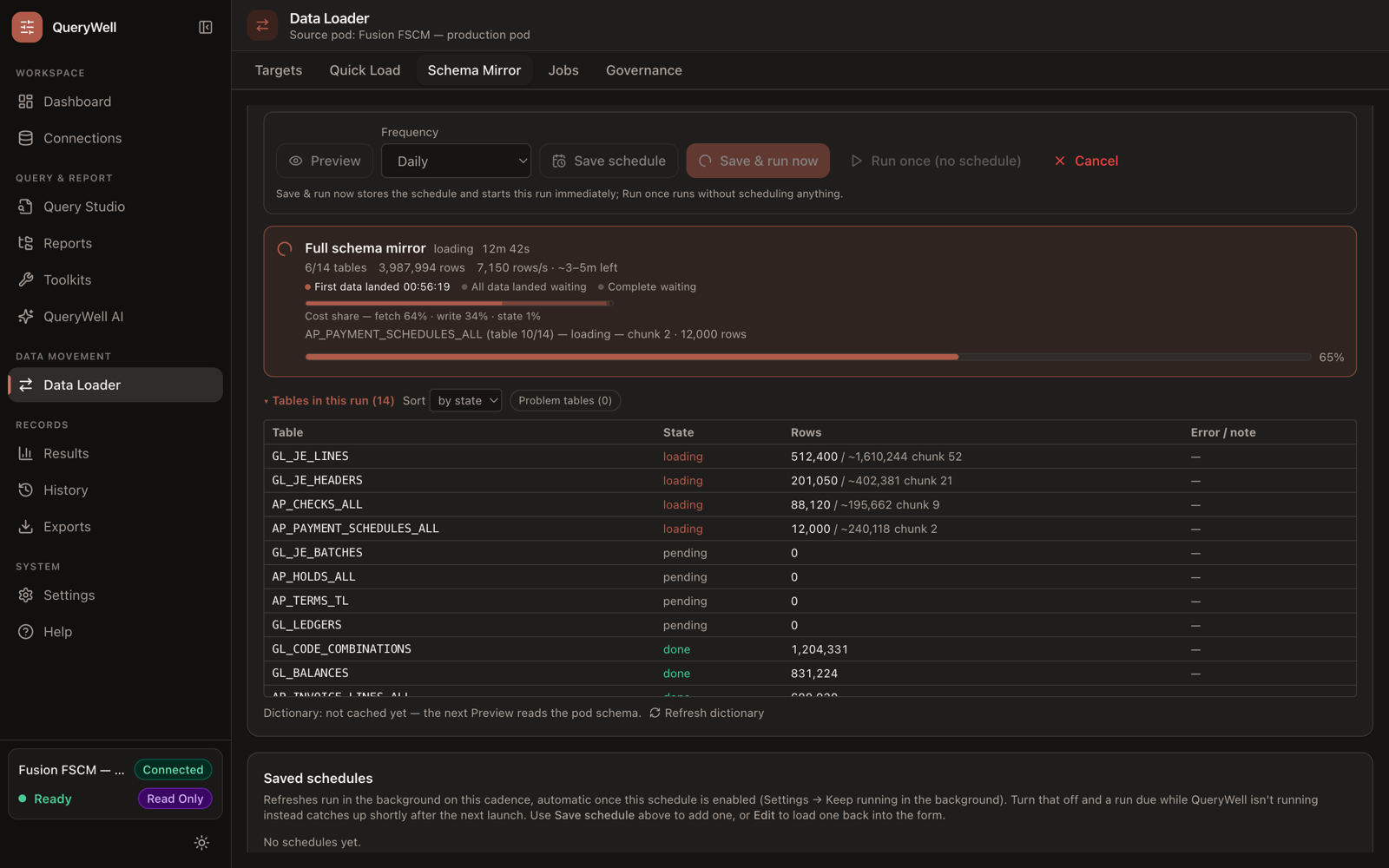
Point the Data Loader at your own Oracle Autonomous Database and replicate the modules you choose. A live header tracks elapsed time and an honest ETA range, a per-table list shows what's queued, loading and done — with a Skip button that survives resume — and schedules keep running unattended from the menu bar or tray, with a desktop notification when a run completes.
Every write is checked against a policy registry stored in your own BI Catalog, credentials stay in the OS keychain, and an interrupted run resumes from the last completed chunk.
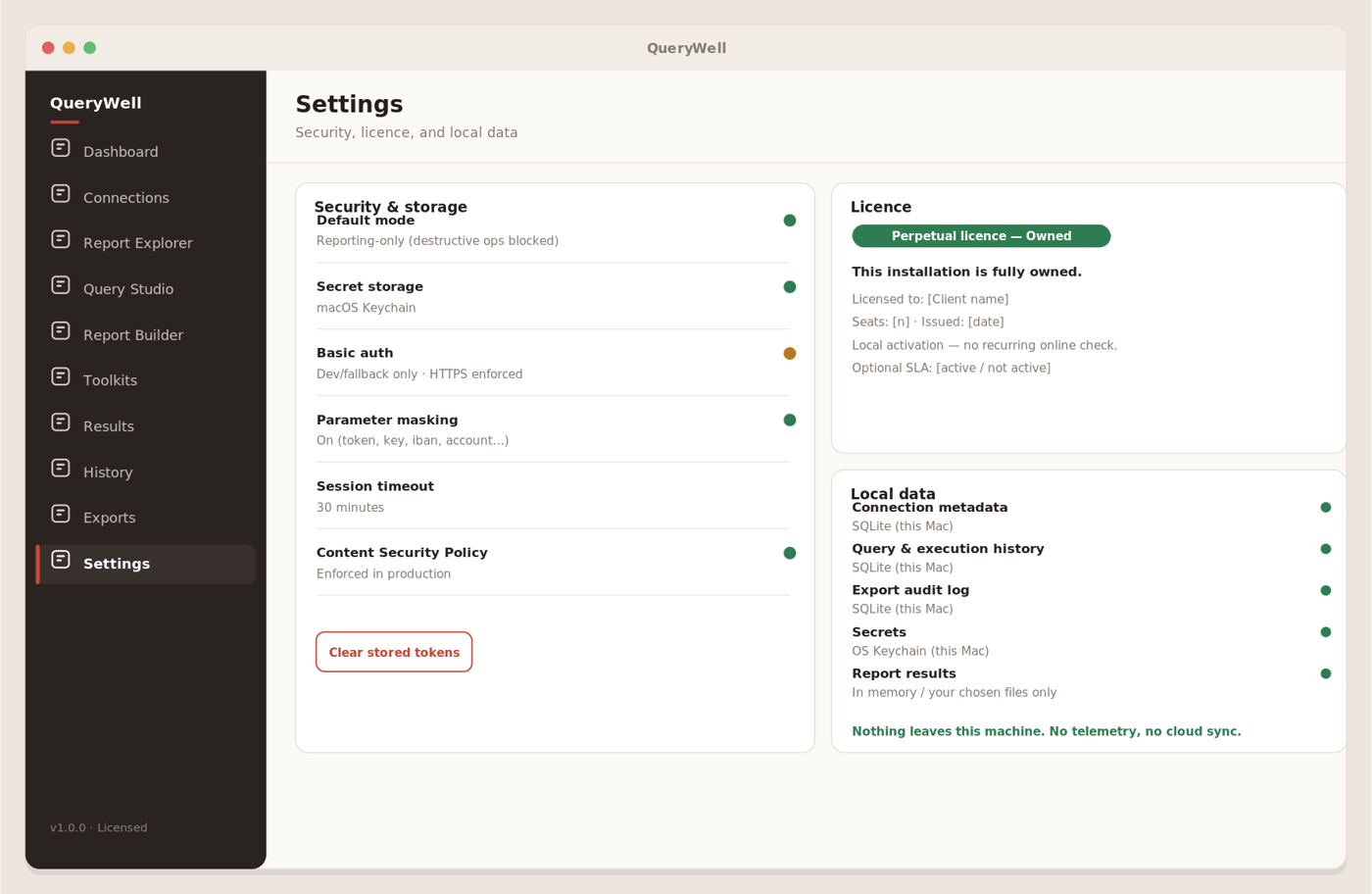
Security, licence & your data
Manage your licence, review security options, and stay in control of local data. QueryWell stores connection metadata, history, audit logs and saved queries on your device. Update checks send limited product and install metadata; AI runs connect directly to the model provider you configure.
Ready to put it to work?
Evaluate Studio and the AI Workbench for 14 days, then choose the perpetual capability tier that fits your work.