Work directly with supported Fusion reporting surfaces
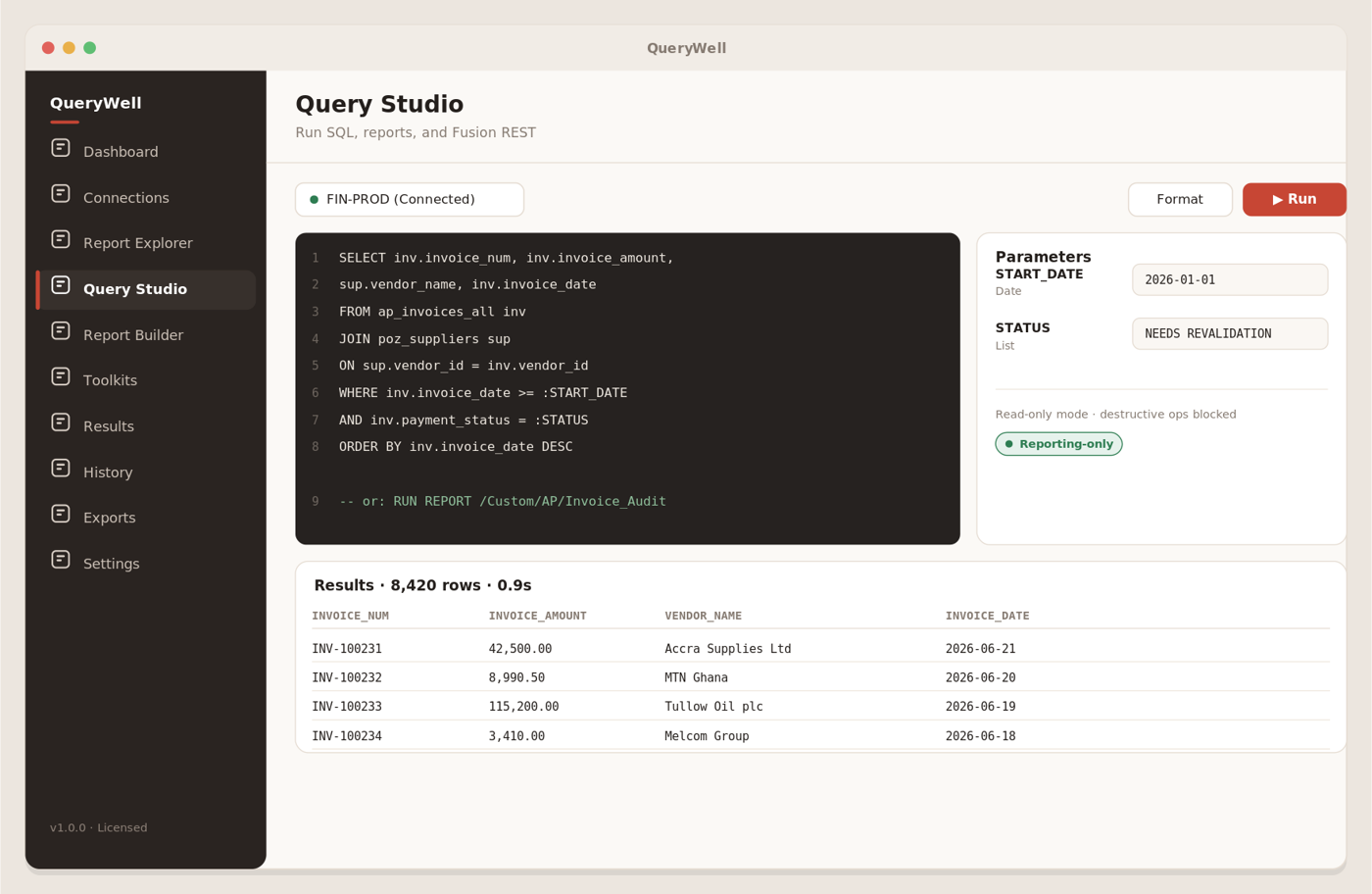
Write SQL, run BI Publisher reports and data models, or call read-only Fusion REST from one worksheet with parameters, paging and row controls.
Desktop workbench · macOS + Windows
Query, evidence, governed replication and AI-assisted reporting for Oracle Fusion Cloud ERP. Work directly in Studio or ask the AI Workbench to build a report you can inspect, test and refine.
One signed app for macOS and Windows. Studio stays local; the AI Workbench connects directly to the model provider you configure. Perpetual licence, optional annual support SLA.
Built for finance systems, Oracle ERP, internal audit and assurance teams that need repeatable answers without introducing another reporting cloud.
Write SQL, run BI Publisher reports and data models, or call read-only Fusion REST from one worksheet with parameters, paging and row controls.
Every run and export is logged. CSV, JSON, XLSX and PDF files are SHA-256 hashed so reviewers can verify the evidence they receive.
Credentials remain in the operating-system keychain, destructive REST operations are blocked by default, and the optional Data Loader lands data in a database you govern.
The AI Workbench uses a Fusion-aware semantic layer to draft read-only SQL, run it against your selected connection, and assemble a report from the returned data. SQL and report definitions remain visible and editable.
Ask about finance, payables, receivables, cash, assets, workforce or scheduled-process health, then refine the result through a continuing conversation.
Read-only and single-statement guards run in code. QueryWell validates report fields against actual result columns rather than allowing a missing field to appear as a confident zero.
Build charts, KPI deltas and detail tables; save reports to Collections; deploy individually to BI Publisher; or arm recurring pod-side runs with optional completion email.
AI is optional and licence-gated. You choose and pay your model provider directly: Anthropic, OpenAI, OpenRouter or a compatible Ollama endpoint. Provider terms and data-handling settings apply to content sent for an AI run.
Add a Fusion pod, choose OAuth or Basic authentication, and keep the secret in your OS keychain.
Run SQL, BI Publisher or read-only REST against live data with explicit parameters and limits.
Inspect a virtualized results grid, profile columns and chart exceptions without leaving the workbench.
Produce CSV, JSON, XLSX or PDF evidence with a recorded SHA-256 hash and execution history.
Access reviews, SoD analysis and change-audit evidence gathered repeatably and exported tamper-evident.
Audit reportingFree-form BI Publisher SQL and read-only REST, with local credentials and no backend database access.
Query toolingRepeatable GL, AP and AR extracts and reconciliations without joining the template-development queue.
Finance reportingKeep report data local or mirror selected Fusion tables into an Oracle database already under your governance.
Data residencyQuery a Fusion pod, inspect the result, produce a tamper-evident export and configure a governed data load.
QueryWell is an independent product from Elaman Group Ltd, built and production-tested by Oracle EBS and Fusion practitioners with audit, reporting and enterprise-transformation backgrounds.
It is not affiliated with, endorsed by or sponsored by Oracle.
Start with a free 14-day Studio + AI evaluation. QueryWell runs in signed macOS and Windows builds; Elaman does not host your reporting data. AI runs go directly to the model provider you configure.